 Cahoots Backup
Back up to your friends.
Your files go to a friend's computer, theirs come to yours, and only you can read your own. Encrypted, versioned backups between people who are in cahoots.
Free and open source, for macOS and Linux. No account, no subscription, no company in the middle.
How it works
You and a friend each run Cahoots on your own computer. That's the whole setup.
Pair with an invite
One of you creates a one-time invite and sends it over. The other pastes it in. That pairs you both ways.
Pick your folders
Choose what to protect: Documents, Pictures, a project. Decide how much space your friend may use on your disk.
It looks after itself
Cahoots watches for changes and sends only the pieces that changed. Go back to any restore point, for any file.
What it looks like
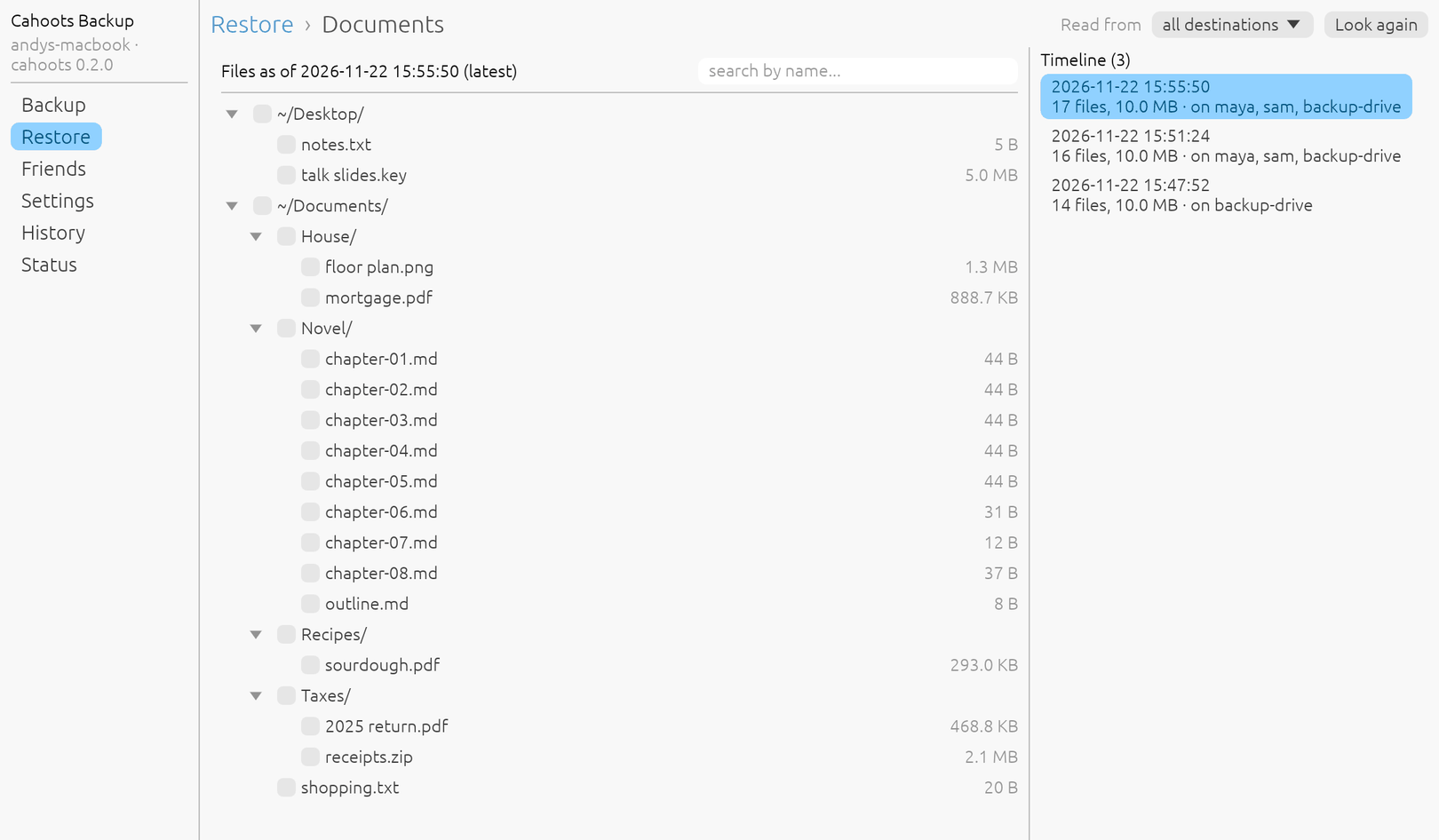
The same things three ways: a window, a full-screen terminal interface, and plain commands. These show a made-up computer with two friends and a backup drive.
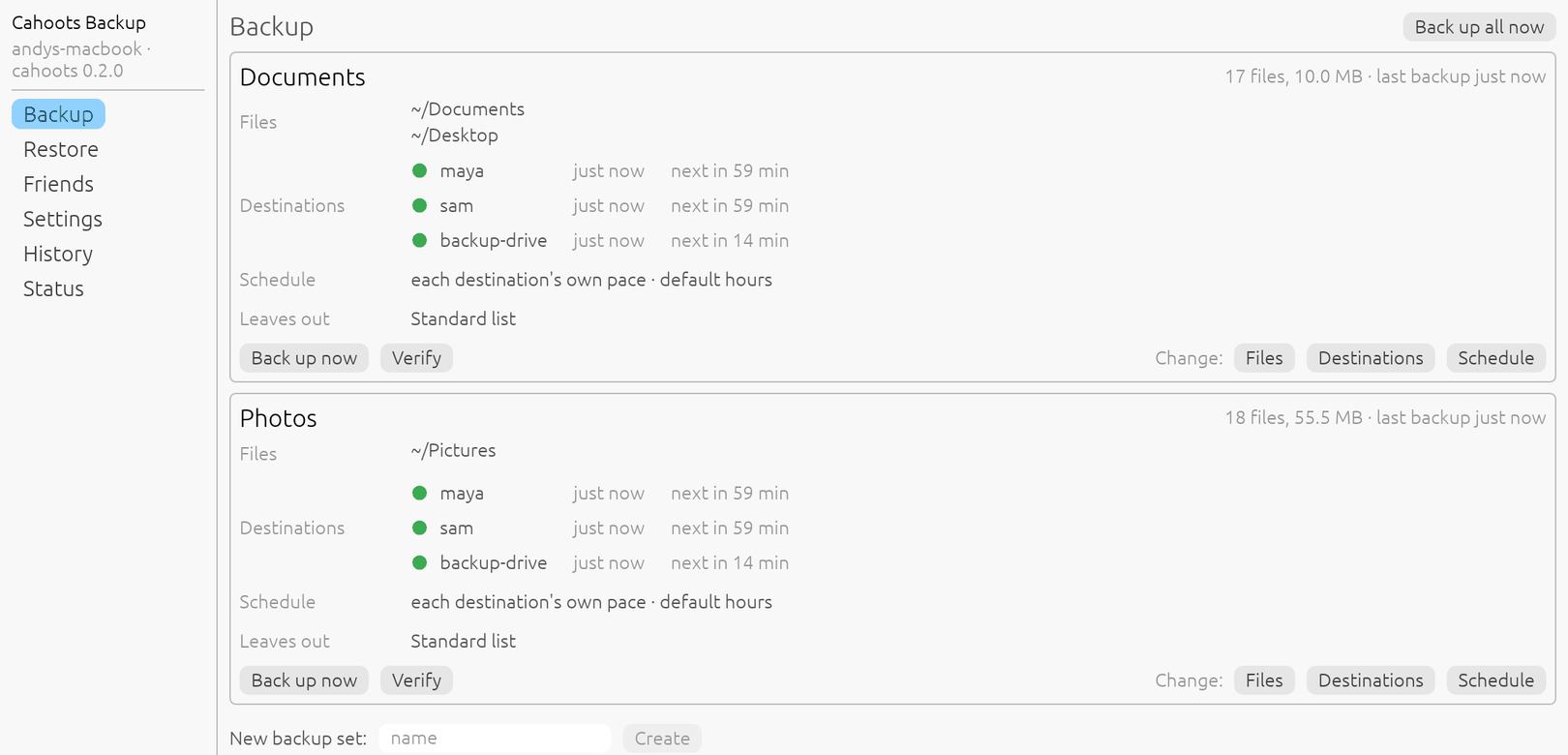
┌ andys-macbook · cahoots 0.2.0 ─┐  Backup sets
│ Backup >                       │
│ Restore >                      │  Documents   17 files, 10.0 MB   last backup just now
│ Friends >                      │    Files         ~/Documents
│ Settings >                     │                  ~/Desktop
│ History                        │    Destinations  ● maya          just now   next in 59 min
│ Status                         │                  ● sam           just now   next in 59 min
│                                │                  ● backup-drive  just now   next in 14 min
│                                │    Leaves out    Standard list
│                                │
│                                │  Photos   18 files, 55.5 MB   last backup just now
│                                │    Files         ~/Pictures
│                                │    Destinations  ● maya          just now   next in 59 min
│                                │                  ● sam           just now   next in 59 min
│                                │                  ● backup-drive  just now   next in 14 min
│                                │
│                                │  + New backup set
└────────────────────────────────┘
up/down: move enter: choose esc: back q: quitYour friend sees nothing
Everything is compressed and encrypted on your computer before it leaves, with a key that never does.
- They hold ciphertext. Not your files, not their names, not the folder tree.
- They can't test for a file. Even the names of the stored pieces are keyed to you.
- They can't hold you hostage. Back up to several friends, a drive and a cloud bucket at once; each has a full copy.
- What they can see: how many pieces you store, how big they are, and when they arrive.
Lose the computer, keep the files
A small recovery kit, sealed with a passphrase only you know, turns a new computer back into your old one.
- One file and one passphrase are all you need. Your friends do nothing.
- It keeps itself current. Point Cahoots at a folder that iCloud, Dropbox or Google Drive syncs and the kit is always off your computer.
- Nothing has to survive. The list of your files is stored, encrypted, with the backups themselves.
What's in the box
Built for the two people on either end, not for a data centre.
Restore points
Every backup is a complete view of your folders. Step back hours, days or months, and choose how much history to keep.
Only what changed
Files are split into pieces and each piece is stored once. Edit a big file and only the edited part is sent.
Drives and cloud, too
Add a USB drive or any S3-compatible bucket alongside your friends. Each destination keeps its own pace and history.
One-way friends
Back up to a friend's server without taking anything in return, or host for family who only send.
Three ways to drive it
A window, a full-screen terminal interface and a command line. Use whichever you like; they do the same things.
It checks its own work
Stored pieces are verified, damage at one destination is repaired from another, and your disk's own silent rot is caught.
Get started
Download cahoots from the releases page, then open the window or the terminal interface:
cahoots gui    # a window
cahoots tui    # the same in a terminal
cahoots init --name andy
cahoots add ~/Documents ~/Pictures
cahoots invite # send what it prints to a friend
cahoots join cahoots1... # what your friend runs
cahoots service install # start at login
cahoots recovery export # keep this file OFF this computerHosting for friends on a server? There is a Docker image for amd64 and arm64; the README has a compose file.
Worth knowing first
It is young. Cahoots is at version 0.x and has one author. Don't make it your only backup yet.
A friend has to be reachable to restore from them. A drive or a second friend covers the day theirs is switched off.
The passphrase cannot be reset. Without the recovery kit and its passphrase, nobody can decrypt your backups, including your friends and us.
Why it exists
CrashPlan Home once let you back up to a friend's computer for free, and a lot of us relied on it until it was shut down. Cahoots Backup brings that idea back as open source: no service to cancel, written in Rust, and yours to run for as long as you and your friends want to.